



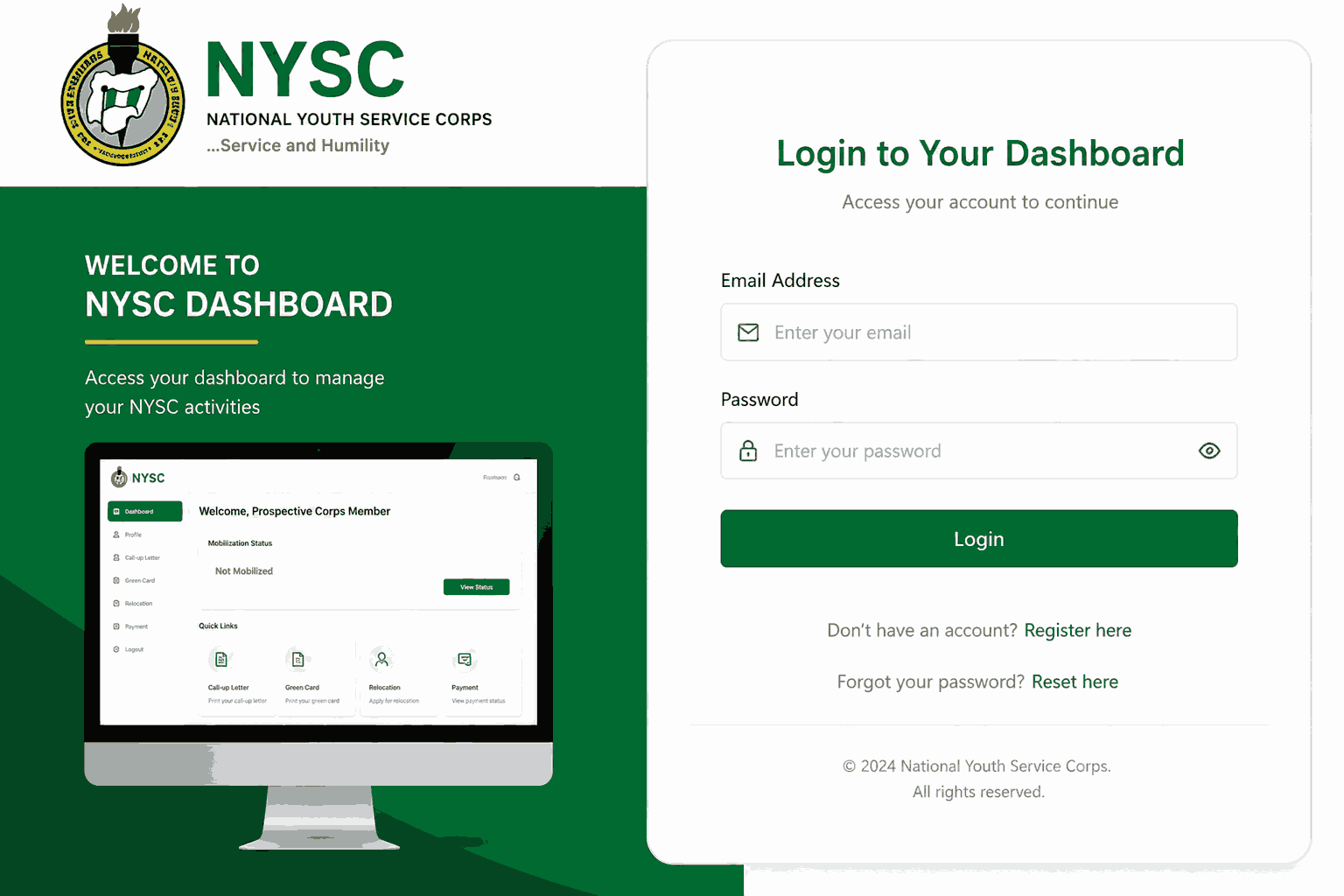
The NYSC Login Dashboard is the central online platform used by prospective corps members (PCMs) and serving corps members to manage every aspect of their National Youth Service Corps activities. Whether you want to complete registration, print your call-up letter, check your mobilization status, apply for relocation, update your profile, or verify payment, the NYSC Login Dashboard serves as your personal control center.
The official NYSC portal can be accessed through the National Youth Service Corps portal at portal.nysc.org.ng, where users can securely sign in using their registered email address and password. According to the official NYSC portal, the dashboard supports registration, remobilization, payment verification, certificate verification, senate list checks, and several other essential services.
In this comprehensive guide, you’ll learn everything about the NYSC Login Dashboard, including how to log in, register, recover forgotten passwords, solve login issues, access important services, and maximize the features available on the portal.
What Is the NYSC Login Dashboard?
The NYSC Login Dashboard is a personalized online account created for every prospective and serving corps member. It provides access to official NYSC services and information throughout the mobilization and service process.
The dashboard was developed to digitize administrative procedures and reduce the need for physical visits to NYSC offices. Through the NYSC Login Dashboard, users can perform various tasks without leaving their homes.
Some of the primary functions available on the dashboard include:
- Online registration
- Call-up letter printing
- Green card printing
- Senate list verification
- Relocation application
- Payment verification
- Profile updates
- Correction of personal details
- Exemption letter access
- Remobilization requests
The official NYSC portal identifies the dashboard as the primary gateway for registration, remobilization, payment tracking, certificate verification, and other NYSC-related activities.
Official NYSC Login Dashboard Website
One of the biggest mistakes many applicants make is using unofficial websites.
The official NYSC Login Dashboard can only be accessed through:
The National Youth Service Corps also maintains the following official websites:
These portals provide access to registration information, mobilization updates, guidelines, payment services, and official announcements.
Always verify that you are visiting the official website before entering your login credentials.
How to Access the NYSC Login Dashboard
Accessing the NYSC Login Dashboard is straightforward when you have valid login credentials.
Step 1: Visit the Official Portal
Open your preferred browser and visit:
Step 2: Click Login
Locate the Login button on the homepage.
Step 3: Enter Your Credentials
Input:
- Registered Email Address
- Password
Step 4: Click Login
After successful authentication, you will be redirected to your personal NYSC Login Dashboard.
According to NYSC portal guidelines, users must have completed registration before they can access their dashboard.
How to Create an NYSC Login Dashboard Account
Before using the NYSC Login Dashboard, prospective corps members must complete registration.
Fresh Registration Process
Visit the Registration Portal
Go to:
Select Fresh Registration
Choose the “Fresh Registration” option.
Provide Personal Information
Fill in:
- Full Name
- Email Address
- Phone Number
- Institution Details
- Course of Study
Verify Email
A verification email will be sent to your inbox.
Complete Biometric Capture
Applicants must complete biometric registration according to NYSC requirements.
Create Password
Choose a strong password for future access to your NYSC Login Dashboard.
Features Available on the NYSC Login Dashboard
The NYSC Login Dashboard offers numerous tools and services.
Profile Management
Users can view:
- Personal details
- Institution records
- Mobilization information
Call-Up Letter Printing
One of the most popular features of the NYSC Login Dashboard is the ability to print call-up letters after deployment.
Green Card Printing
Applicants can print their Green Card directly from the dashboard.
Senate List Verification
Users can verify whether their names appear on the Senate Approved List.
Relocation Application
Corps members can request interstate relocation through the dashboard.
Payment Tracking
Payment history and transaction verification are available through the NYSC Login Dashboard.
Certificate Verification
The portal provides certificate verification services.
How to Recover a Forgotten NYSC Login Dashboard Password
Forgetting your password does not mean losing access to the NYSC Login Dashboard.
Password Recovery Steps
Visit the Login Page
Go to:
Select “Forgot Password”
Click the recovery option.
Enter Registered Email Address
Provide the email used during registration.
Check Your Email
A password reset link will be sent to your inbox.
Create New Password
Choose a secure replacement password.
Log In Again
Return to the NYSC Login Dashboard and sign in with your new password.
Common NYSC Login Dashboard Problems and Solutions
Many users encounter difficulties accessing the NYSC Login Dashboard, especially during registration periods.
Incorrect Password
Double-check:
- Capital letters
- Email spelling
- Password accuracy
Portal Not Opening
This usually happens during peak registration periods due to heavy traffic.
Try:
- Refreshing the page
- Using another browser
- Logging in during off-peak hours
Invalid Email Address
Ensure you are using the same email registered on the NYSC portal.
Server Errors
Temporary server issues are common when thousands of applicants attempt to access the NYSC Login Dashboard simultaneously. Community reports frequently mention portal congestion during major registration windows.
Payment Not Reflecting
Verify payment status through the payment tracking section of the portal. The official NYSC portal provides a dedicated payment verification feature.
Important Services Accessible Through the NYSC Login Dashboard
The NYSC Login Dashboard functions as a one-stop service center.
Mobilization Status Check
Applicants can confirm whether they have been mobilized.
Exemption Letter Access
Eligible graduates can view and print exemption letters.
Revalidation
Candidates who missed a previous batch can request revalidation.
Remobilization
Absconded corps members may apply for remobilization through the portal.
Date of Birth Correction
The portal allows correction of date-of-birth records through a verification process.
Course of Study Correction
Applicants may request corrections for course information where necessary.
Security Tips for Using the NYSC Login Dashboard
Protecting your NYSC Login Dashboard account is essential.
Use Strong Passwords
Avoid simple passwords such as:
- 123456
- Password
- Your first name
Never Share Login Details
Keep your credentials private.
Avoid Cyber Cafes
If possible, access the NYSC Login Dashboard using your personal device.
Log Out After Use
Especially when using public computers.
Verify Website URL
Always ensure you are using:
This prevents phishing attacks and credential theft.
Best Practices for Managing Your NYSC Login Dashboard
To get the most from the NYSC Login Dashboard, adopt these habits:
Check Updates Frequently
NYSC announcements often appear first on the portal.
Keep Email Active
Important notifications are sent to your registered email.
Save Important Documents
Download and back up:
- Call-up letters
- Green cards
- Payment receipts
- Exemption letters
Monitor Deadlines
Registration and mobilization deadlines can change.
Verify Information Regularly
Ensure all personal details remain accurate.
Future Improvements Expected for the NYSC Login Dashboard
The NYSC Login Dashboard has evolved significantly over the years.
Future improvements may include:
- Faster server response times
- Improved mobile optimization
- Enhanced security measures
- Better document management
- More automated verification systems
- AI-assisted support services
As digital transformation continues, the NYSC Login Dashboard is expected to become even more efficient and user-friendly.
Conclusion
The NYSC Login Dashboard remains the most important online tool for every prospective and serving corps member in Nigeria. From registration and call-up letters to relocation applications, payment tracking, senate list verification, and profile management, virtually every NYSC activity begins and ends on the dashboard.
By understanding how the NYSC Login Dashboard works, using the official portal, maintaining secure login credentials, and staying updated with NYSC announcements, users can avoid common problems and enjoy a smoother service experience.
Whether you’re preparing for mobilization, checking deployment status, printing important documents, or managing your service year, the NYSC Login Dashboard is your gateway to all official NYSC services.
Also Read: Which State Is the Best for NYSC in Nigeria? A Complete Guide for Prospective Corps Members
Frequently Asked Questions (FAQs)
1. What is the official NYSC Login Dashboard website?
The official NYSC Login Dashboard can be accessed through: portal.nysc.org.ng
This is the official portal for registration, login, mobilization, and other NYSC services.
2. Can I access the NYSC Login Dashboard on my phone?
Yes. The NYSC Login Dashboard is accessible through smartphones, tablets, laptops, and desktop computers using any modern web browser.
3. What should I do if I forget my NYSC dashboard password?
Use the “Forgot Password” option on the login page, enter your registered email address, follow the password reset instructions sent to your email, and create a new password.





+ There are no comments
Add yours